Site visits
Every finding from a site visit on the floor plan
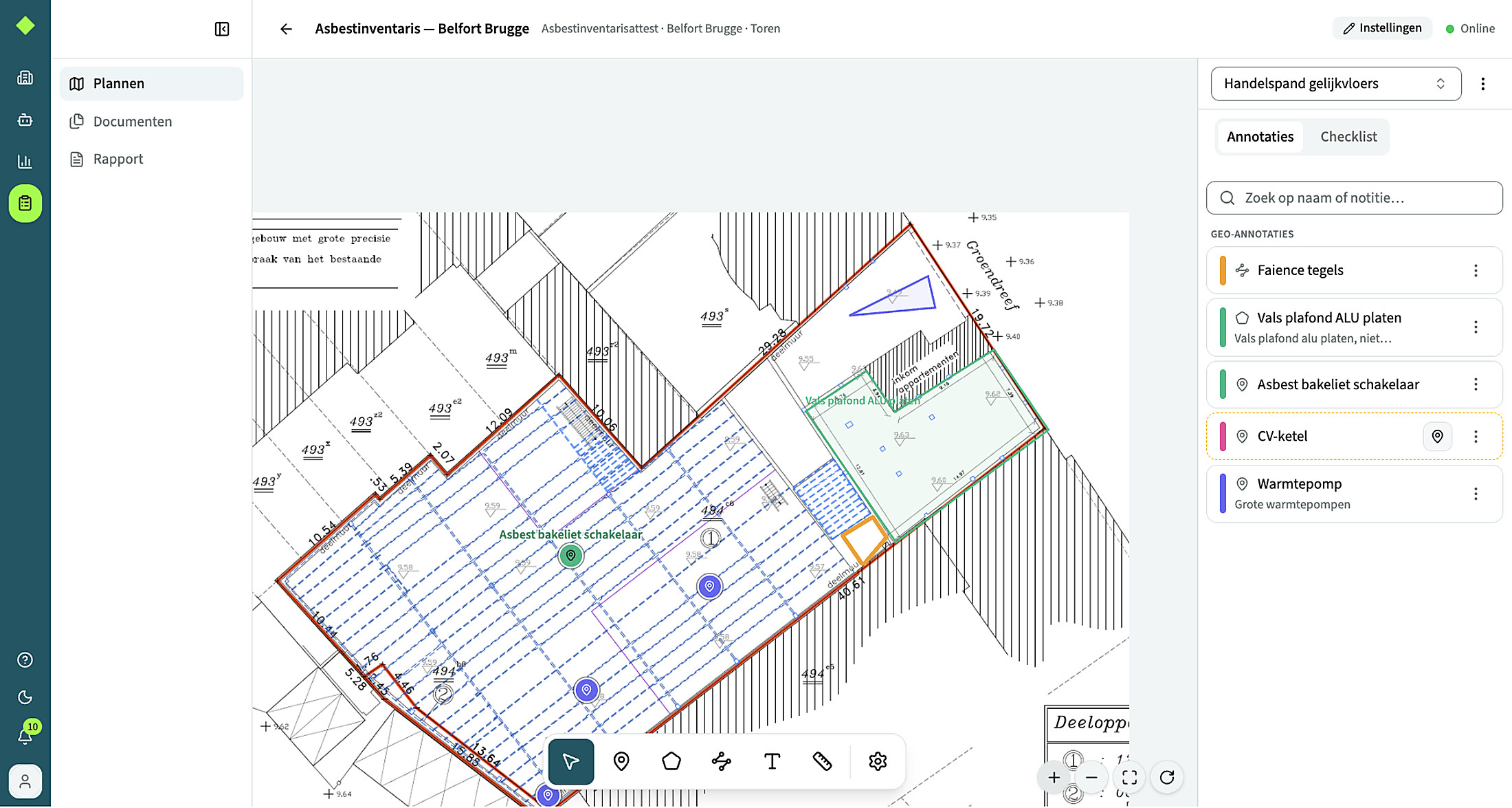
Our experts work on site in the app. What is found during a site visit is stored in the building passport with a photo and a location.
How a site visit works in the app
One app for the site visit, from plan to report
Step 1 · Prepare
Every site visit starts as a procedure with a fixed checklist
- Per type of site visit
- An asbestos inventory, an EPC or an Alta Scan each has a fixed checklist.
- Per building
- The procedure is linked to the building in the building passport.
- Progress in view
- You see which stage each procedure is in and how many annotations there are.
Fixed checklist per typeasbestos inventory, EPC, Alta Scan
Step 2 · Record
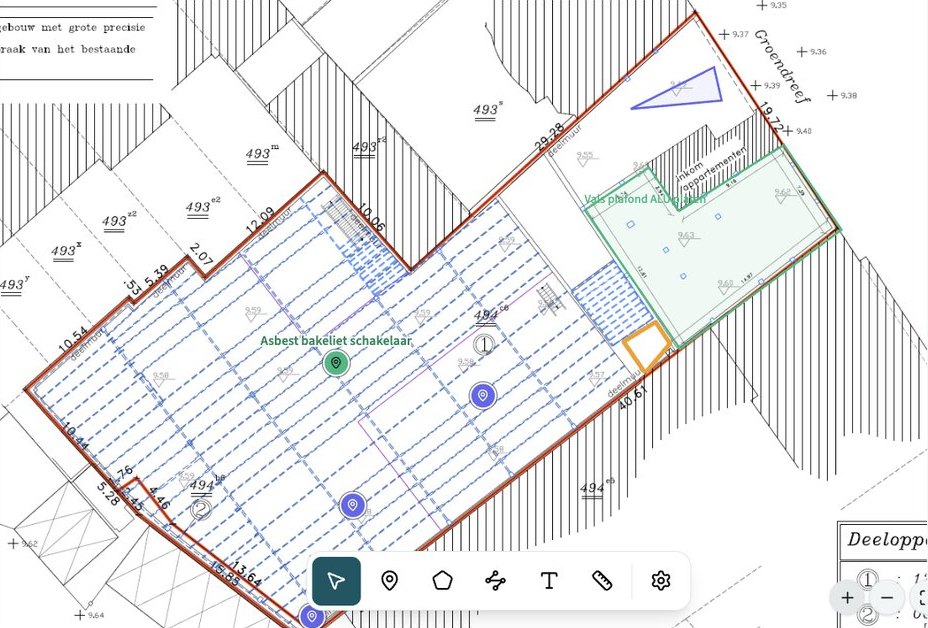
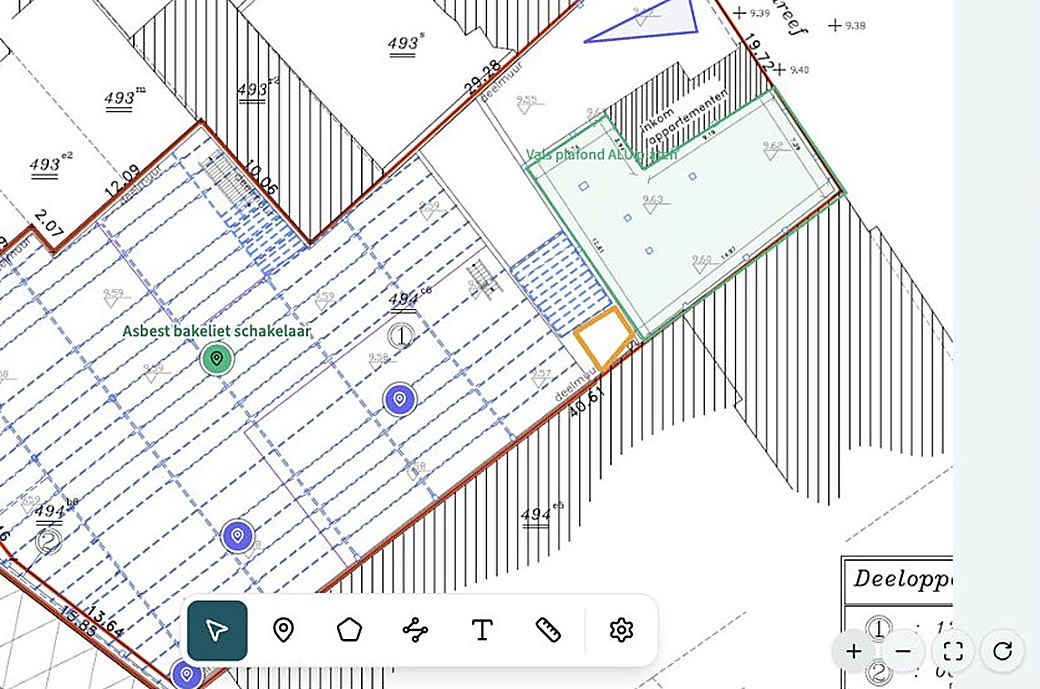
The expert puts every finding on the plan
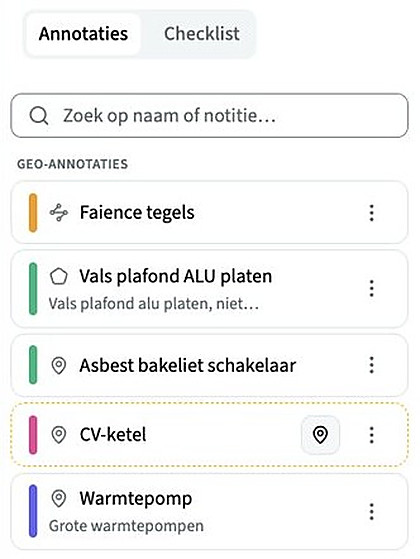
- Annotations on the floor plan
- A point, a zone or a line on the plan, with a name and a note.
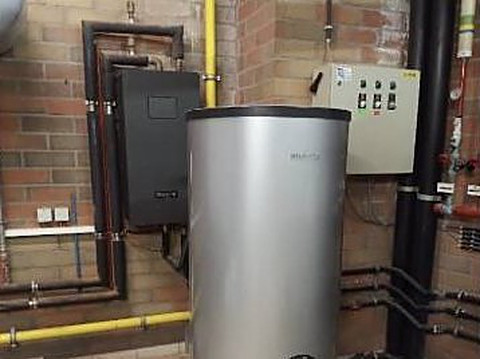
- Photos and documents
- The photo is linked to the place where it was taken.
- On site
- The app also works on a phone.
Step 3 · Keep
Everything is in the building passport with photo and location
- In the same file
- The findings go into the building passport of the building.
- Easy to find
- You see on the plan where a finding was made.
- Usable for every service
- A next site visit starts from what is already there.
Frequently asked questions about site visits
Who uses the app during a site visit?
Our experts. Your technical manager can work in the same app.
Does the app work on a phone?
Yes. The app also works on a phone, on site.
For which site visits is there a checklist?
There is a fixed checklist per type of site visit, for example for an asbestos inventory, an EPC or an Alta Scan.
Where do I find the findings afterwards?
In the building passport, with the photo and the location on the floor plan.