Task management
Every task an owner and a date, per building
An expiry date, a finding or an inspection becomes a task. You see who takes it on and by when.

How task management works
From finding to finished task
Step 1 · Create
An expiry date, a finding or an inspection becomes a task
- From the legislation tracker
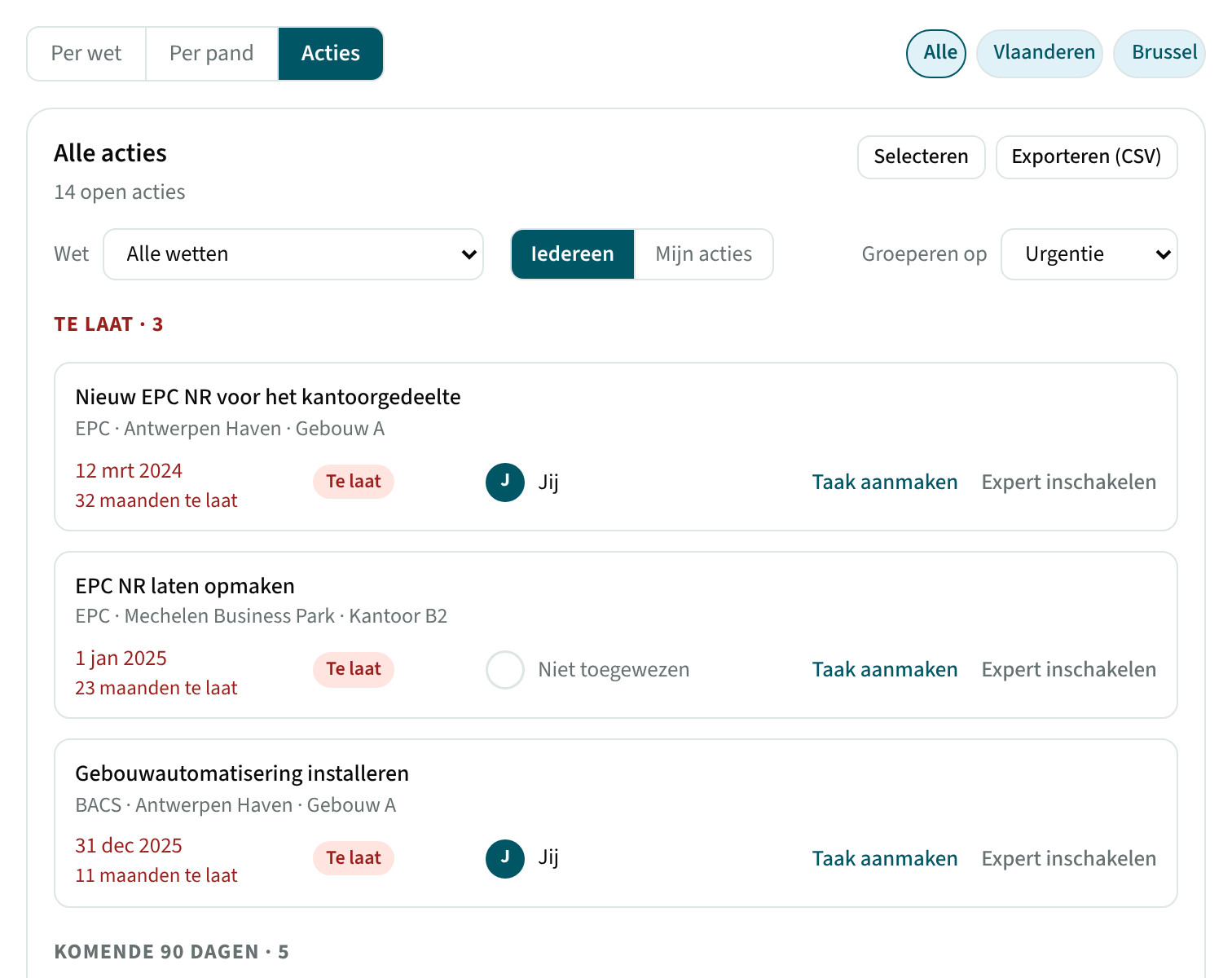
- Every action has the button "Taak aanmaken" (create task).
- From a site visit
- A finding on the floor plan becomes a task.
- From an inspection
- An inspection that is coming up becomes a task with a date.
Step 2 · Assign
Every task gets an owner and a date
- An owner
- You assign the task to a colleague.
- A date
- Every task has a date by which it must be done.
- With the building
- The task is linked to the building it concerns.
Step 3 · Follow up
What is late comes first
- Sorted by urgency
- Late comes first, then what is coming up.
- Per building and for the portfolio
- You see the tasks of one building or of all buildings.
- Alta can take over
- For an action from the legislation tracker you can call in an Alta expert.
3 tasks lateshown first
Frequently asked questions about task management
Where do the tasks come from?
From expiry dates, site visits and inspections. You can turn an action in the legislation tracker into a task straight away.
Can I assign a task to a colleague?
Yes. Every task gets an owner and a date.
Do I see the tasks of all buildings together?
Yes. You see the tasks per building and for the whole portfolio. What is late comes first.
Can Alta take over a task from me?
Yes. For an action from the legislation tracker you can call in an Alta expert.